
Official Document
Darbitech E-Voucher Service
Official Disclaimer & Guide
Darbitech Enterprise provides a secure and convenient digital platform that enables customers to purchase WAEC Result Checker PINs online.
Darbitech operates as an independent service provider and is not affiliated or associated with WAEC or any educational institution. All vouchers supplied through this platform are sourced directly from authorised vendors and approved distribution channels to ensure authenticity and reliability.
Pricing
All listed prices include the official vendor cost plus a service charge to cover transaction processing, maintenance, and operational expenses. Pricing is transparent and may vary based on transaction channel fees.
Refund Policy
Due to the electronic and irreversible nature of digital vouchers, all sales are final once a PIN has been issued.
Refunds will not be issued for customer input errors, misuse, or shared use of a valid PIN.
Refunds will only be provided if a voucher is verified as invalid from the source before delivery to the customer.
Usage Conditions
Each WAEC Result Checker PIN:
Is valid for one candidate index number only.
Can be used for a maximum of three (3) result checks.
Any attempt to share, resell, or use a voucher across multiple candidates will invalidate the PIN, with no eligibility for refund.
Purpose of Service
The Darbitech E-Voucher Service exists solely to make it faster, safer, and more convenient for customers to purchase official result checker vouchers.
Our platform functions as a digital purchasing channel that helps customers securely obtain vouchers from authorised sources.
User Agreement
By continuing to use this service or completing a purchase, you acknowledge and agree to these terms and conditions in full.
If you do not agree, please discontinue use of the service before making a purchase.
Service Hours
Darbitech Enterprise is opened between the following hours:
MONDAY – FRIDAY (9AM – 6PM)
SATURDAY & SUNDAY (CLOSED)
Our contact lines may not be responsive when we are closed.
If you have any enquiry, please send us a message on WhatsApp, we will respond to it as soon as we are available.
WhatsApp Line — wa.me/233241079572
Step-by-step
Customer Guide
Vouchers are sold on 2 platforms: the USSD application and the Telegram bot t.me/edupalbot
USSD or Shortcode
These are the recognised shortcodes Darbitech uses:
You are expected to visit the website in the link indicated (checkerpin.com/disclaimer) and read the terms and conditions. By continuing to use this service or completing a purchase, you acknowledge and agree to these terms and conditions in full.
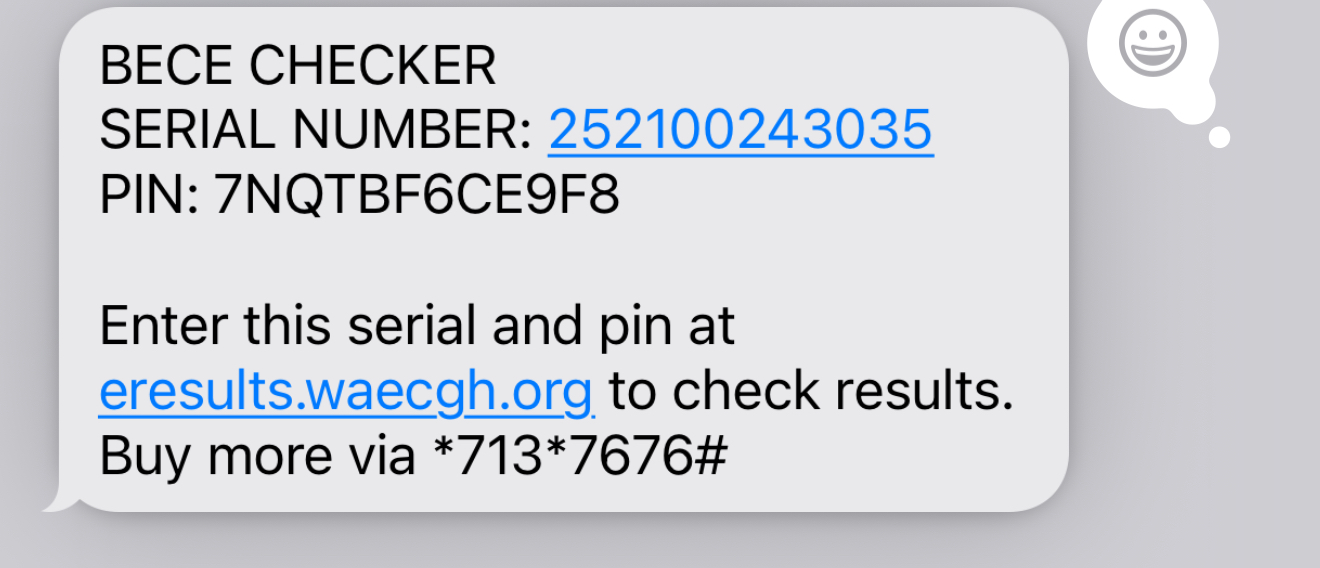
After you complete the payment, the voucher will be delivered to you in an SMS from "Darbitech".
Voucher Delivery SMS
This SMS from "Darbitech" contains the serial number and PIN that you will enter on WAEC's website to check your results. You are to open the link in your SMS to check your results.
which is usually …
- ghana.waecdirect.org for WASSCE Results
- or eresults.waecgh.org for BECE Results
Retrieving Voucher
If the Result Voucher SMS delays, or you want to quickly see your purchased voucher after payment:
Dial the shortcode *713*7676# or any of the mentioned shortcodes and use Option 3) Transactions.
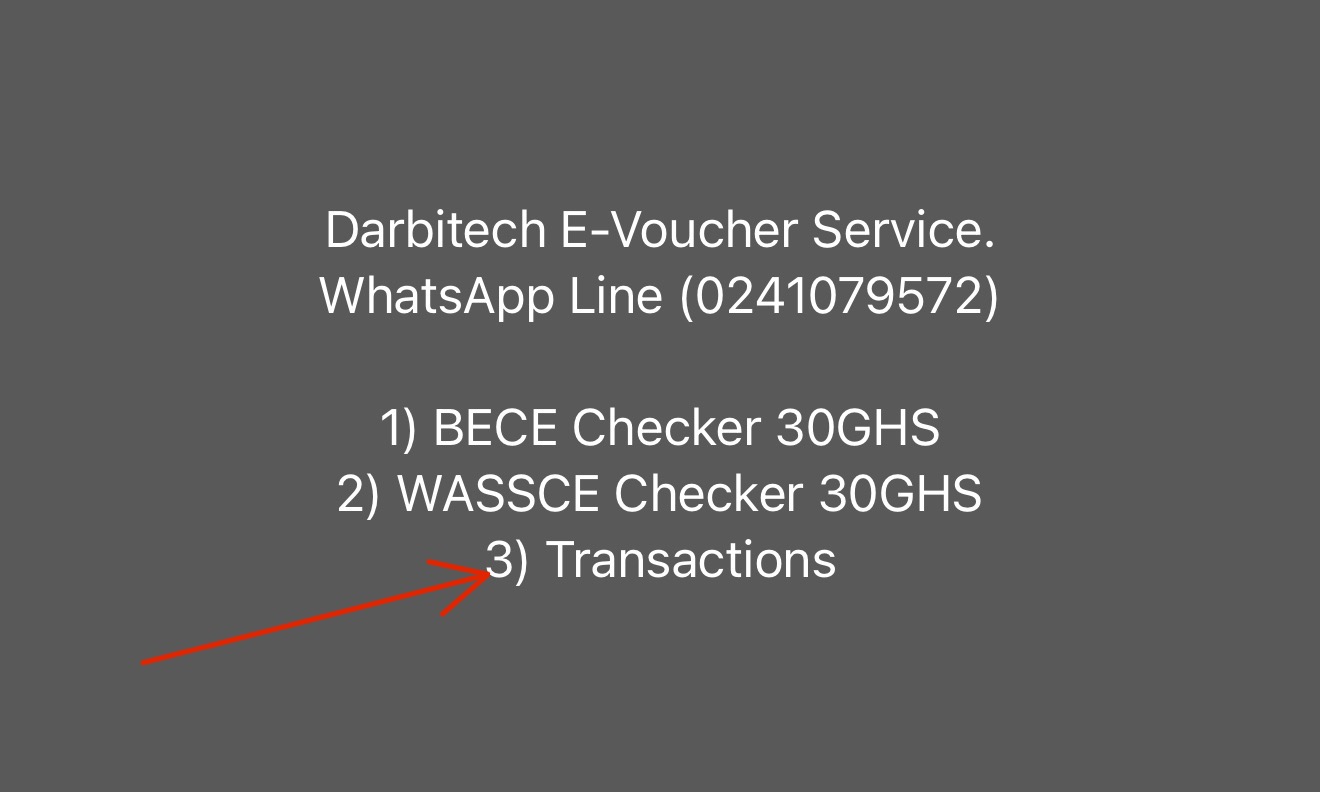
Select any of your transactions to see the voucher serial number and PIN.
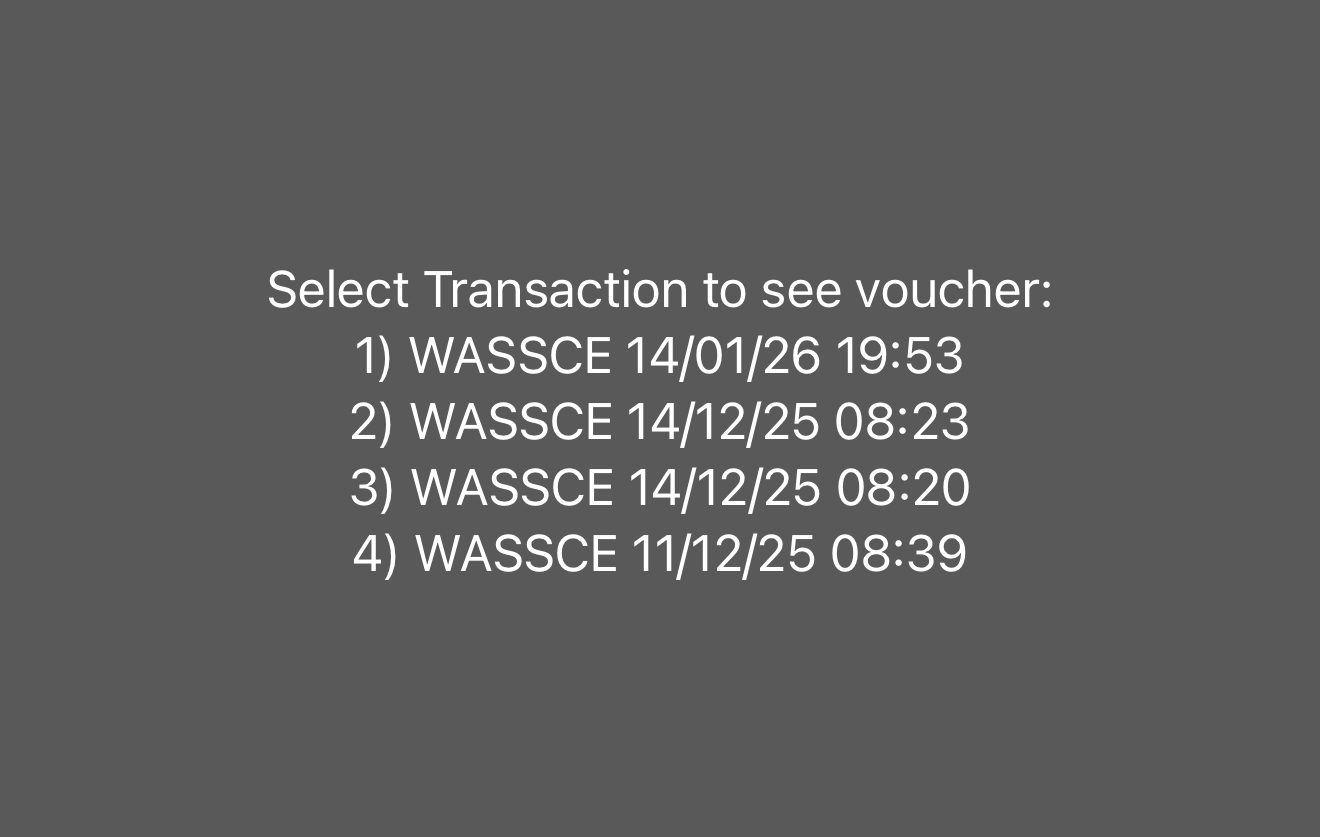
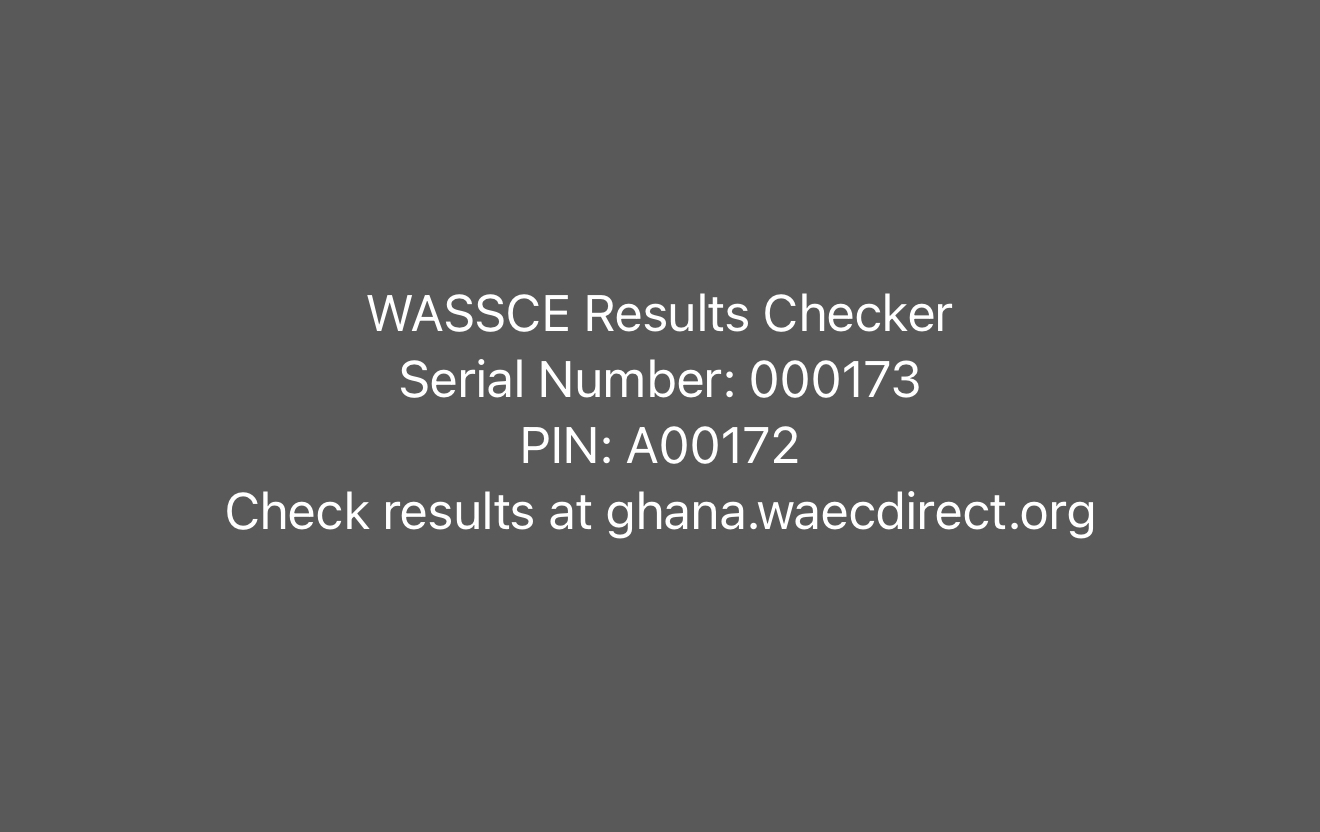
Your Result Checker Serial Number and PIN will be displayed on the screen. You can write it down or copy the details. You may visit the WAEC portal link shown to check your results with the serial number and PIN provided.
EDUPAL BOT (Telegram Bot)
https://t.me/Edupalbot [Official Bot]
The same terms and conditions apply.
Customers who purchase their result checkers on the Edupalbot will receive the result checker in the Telegram bot. You are to return to the bot after successfully making payment to see your result checker.
The result checker would be sent to you via the Telegram bot as a PDF document. Download the PDF document to see your result checker Serial Number and PIN.
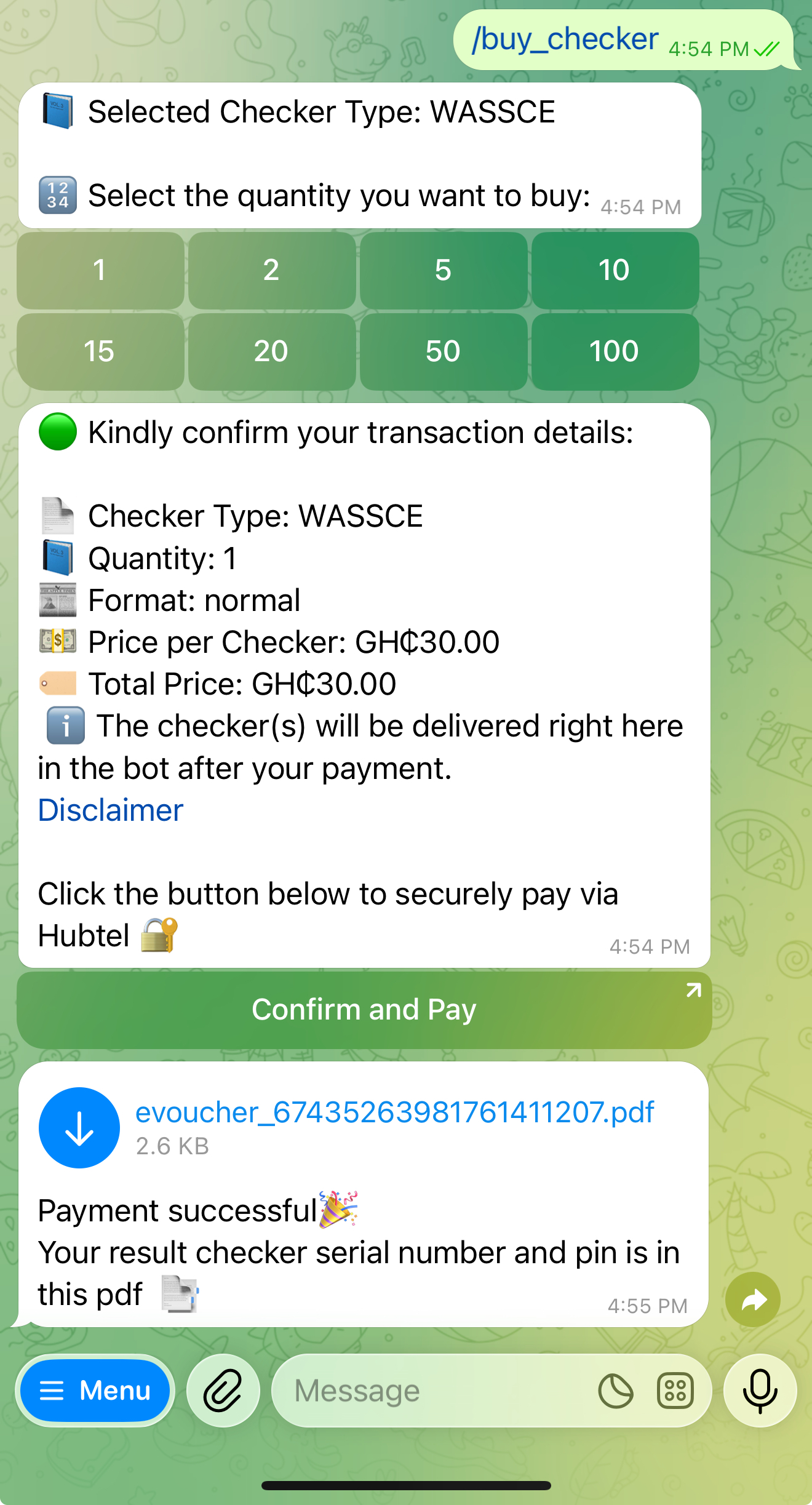
You can copy or write down the serial number and PIN in the PDF document and visit the specified WAEC website to check your results.
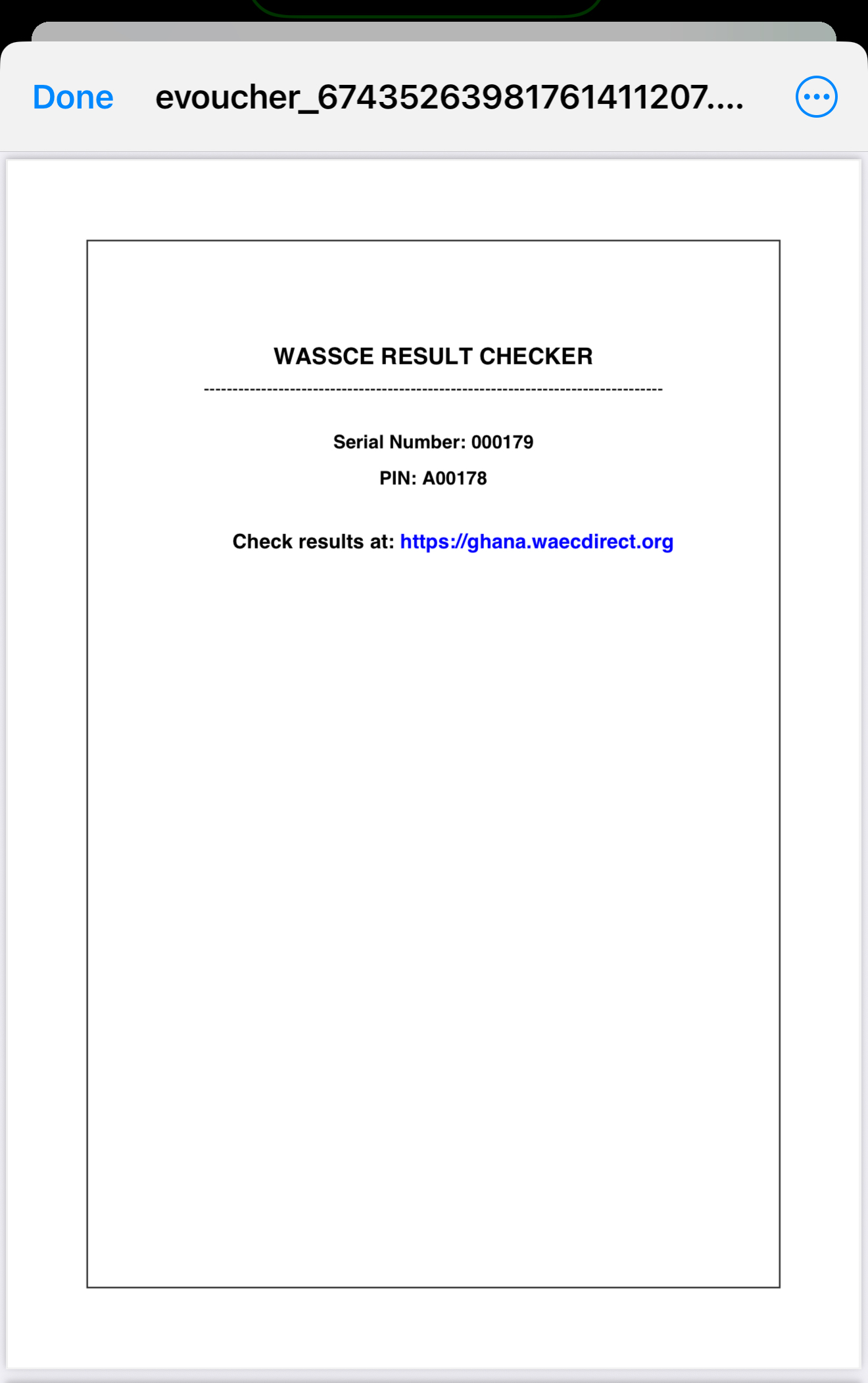
Retrieving Undelivered Voucher
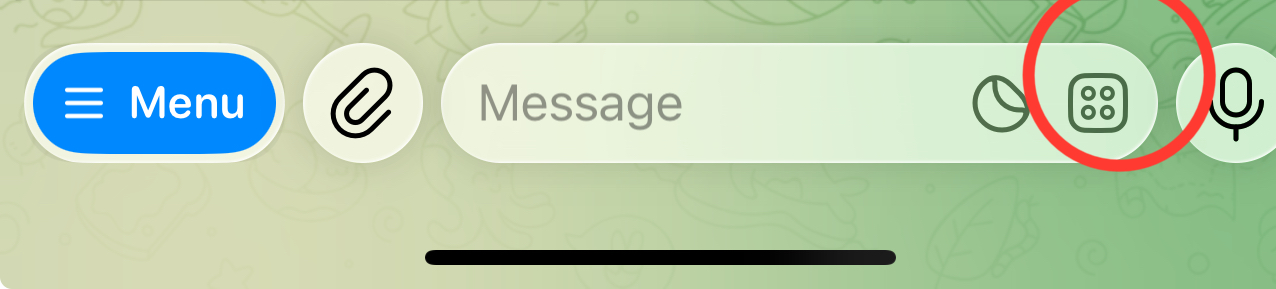
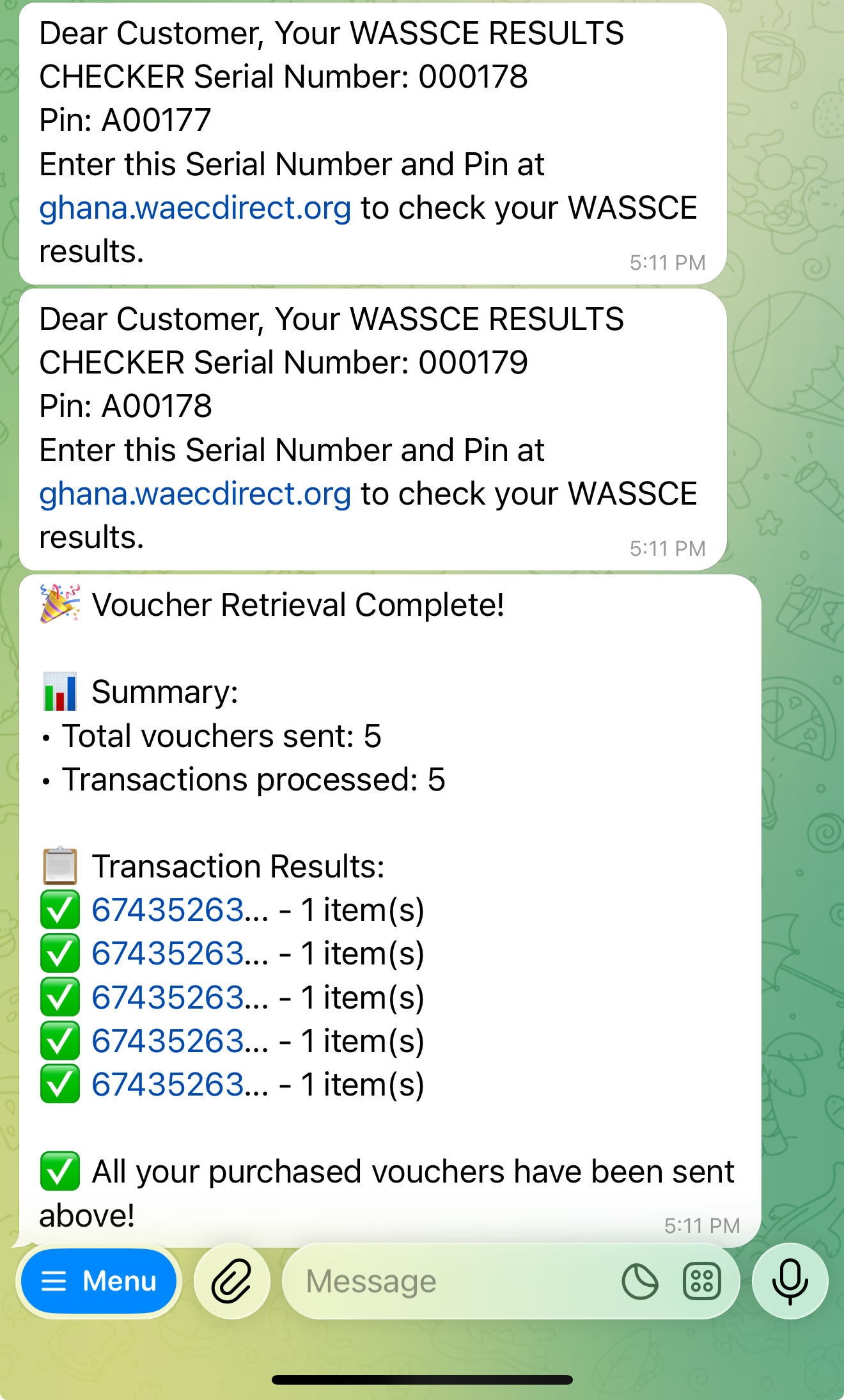
If you do not receive the result checker you made payment for, you can easily retrieve it with the "Retrieve My Voucher" button.
Click on the button below if your command keyboard is not already opened.
Click on the Retrieve My Voucher function. This loads up all your purchased vouchers.
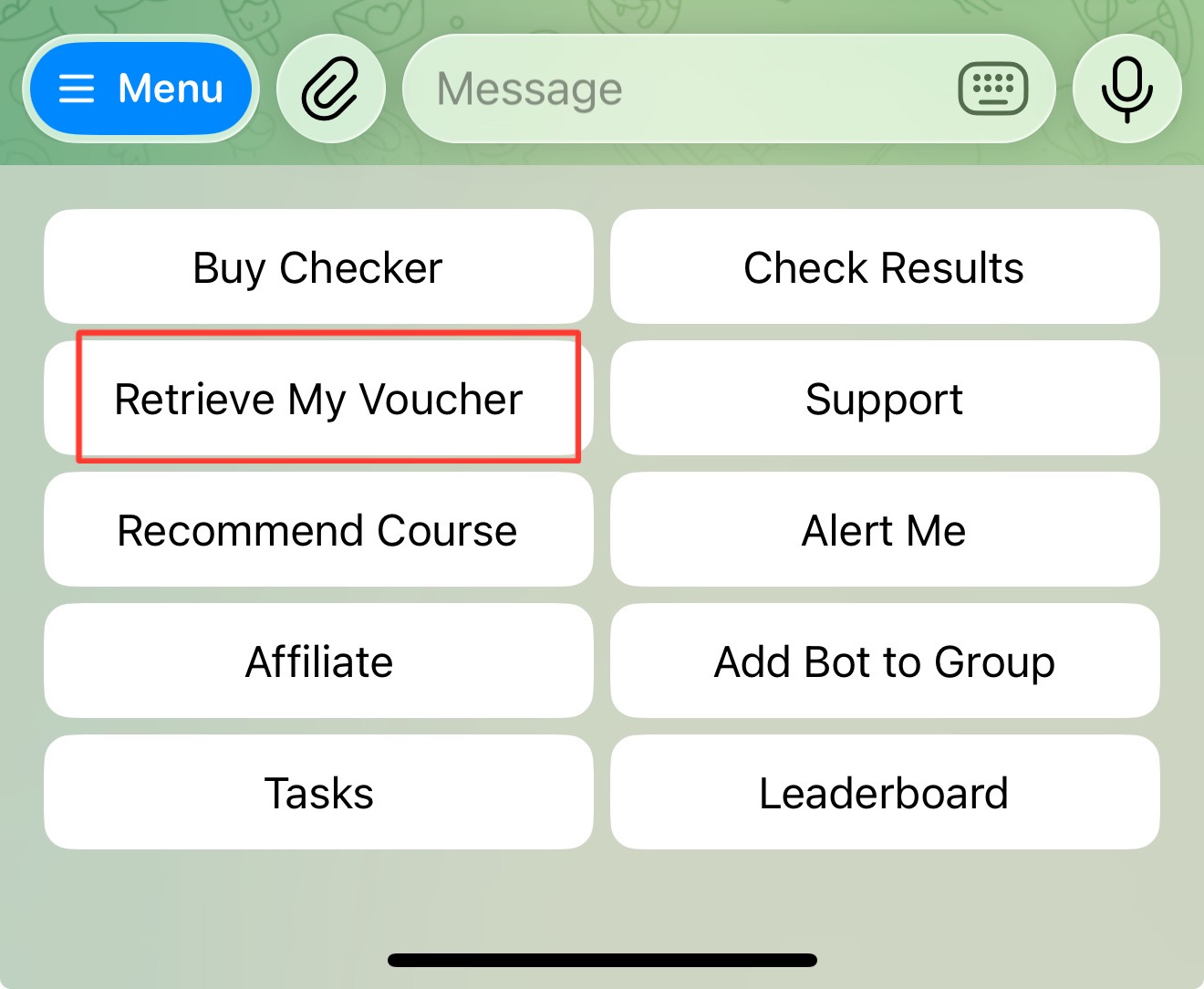
All your purchased vouchers are loaded after clicking on the button as seen in the image below.
How to use your voucher
Voucher Usage
Checking WASSCE Results with Serial Number and PIN
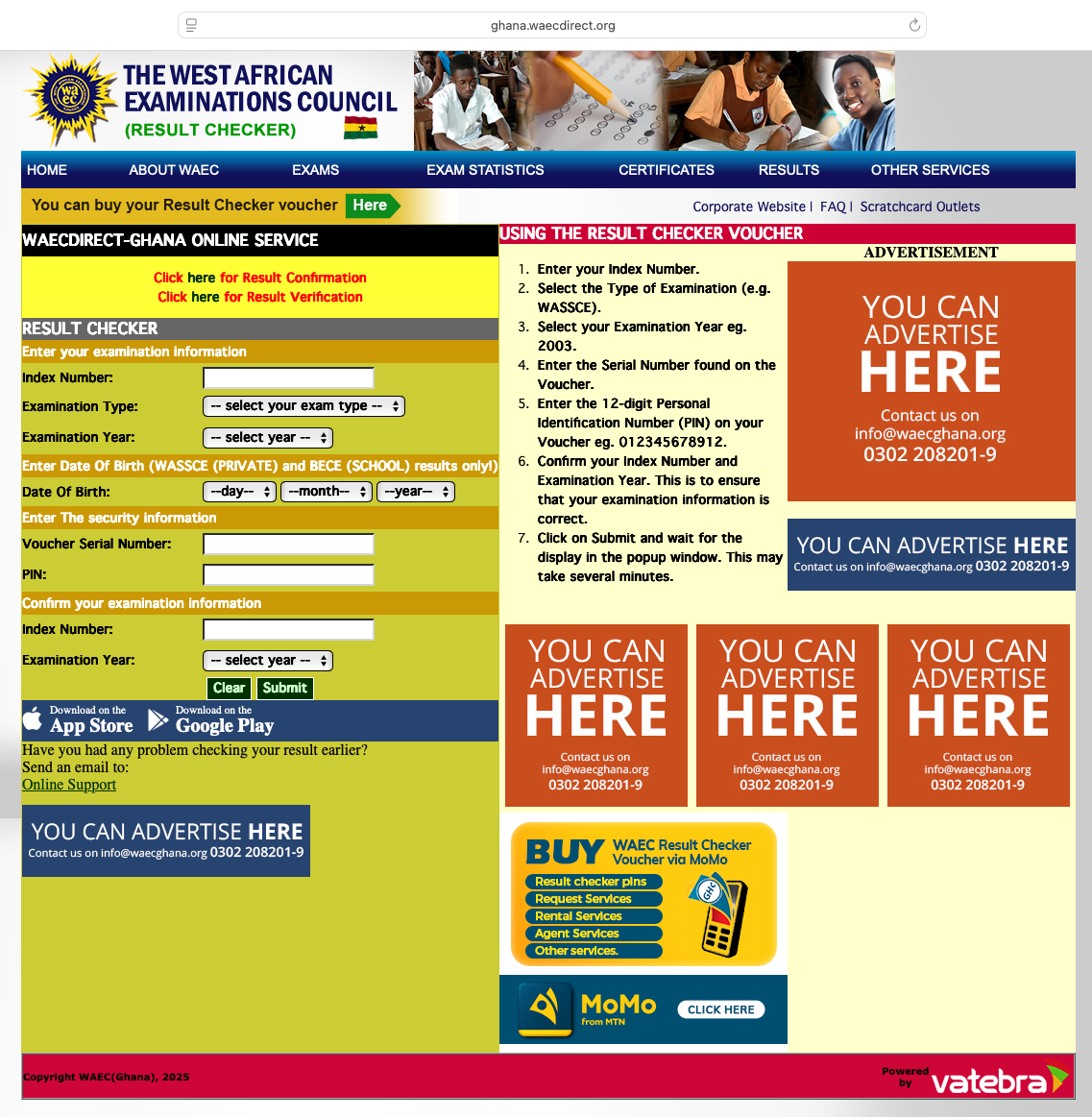
- 1Visit ghana.waecdirect.org
- 2Enter your index number.
- 3Select your examination type — if you wrote the general WASSCE, select WASSCE (School); if you wrote the Private WASSCE, select WASSCE (Private).
- 4Select your examination year.
- 5Enter your date of birth.
- 6Enter the Voucher Serial Number and PIN you were provided on SMS or the bot correctly.
- 7Enter your index number and examination year once again and check your results.
It's important to note that when you select a wrong Examination Year or enter a wrong index number, the checker will be activated and then when you finally enter the correct details, WAEC will prompt you that the checker has already been used. So please enter your correct details carefully.
Checking BECE Results with Serial Number and PIN
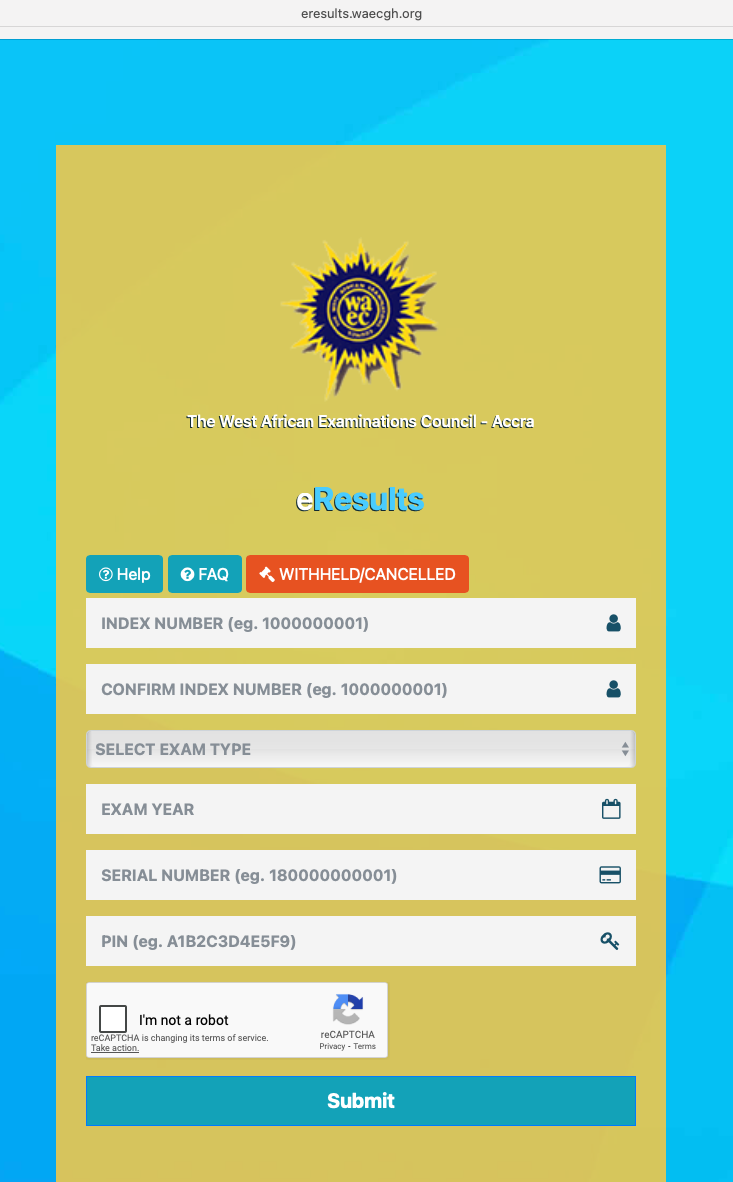
- 1Visit eresults.waecgh.org
- 2Enter your index number.
- 3Confirm the index number.
- 4Select the Examination Type.
- 5Enter the Exam Year (the year you wrote the Exam).
- 6Enter the Voucher Serial Number and PIN you were provided on SMS or the bot correctly.
- 7Click on Submit to check your results.
Extra
It's important to note that when you purchase the voucher using the shortcode, you will receive the voucher via SMS. When you purchase the voucher in the Telegram bot, you will receive the voucher in the bot.
Darbitech is a private seller of WAEC E-Vouchers for checking Examination results ("Result Checkers").
Darbitech is NOT affiliated with WAEC or any Educational Institution.
Darbitech is not responsible for the outcome of your results.
In this write-up, "vouchers" and "result checkers" have been used interchangeably. They mean the same thing.
Best Wishes to all our customers !!
Darbitech Enterprise.